
Rock County Case Search Start
Every Rock County case search starts in JUSTICE. JUSTICE stands for the Judicial User System To Increase Court Effectiveness. The branch describes it as the trial-court case-information source. Its public Case Information eServices description spells out the filters. You can narrow a search by party name, court type, case type and subtype, county, year, judge, or attorney. Pick Rock County when the matter is local. Then decide whether the file sits in Rock County Court or Rock District Court. The two follow different clerk paths.
That same official page describes the statewide service. It also lists the record families a returned Rock County case can expose.
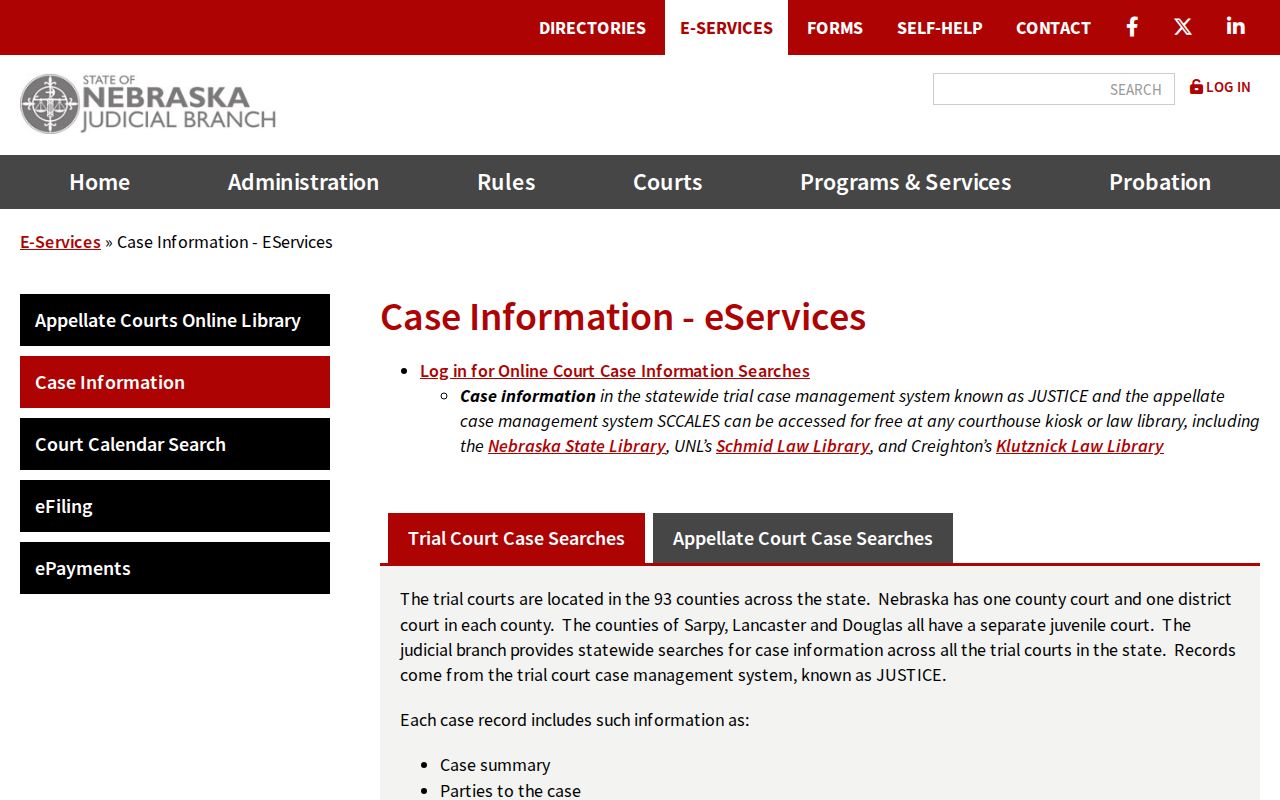
JUSTICE handles public lookups for Rock County. Nebraska Judicial Branch eFiling serves a different purpose, covering filing, eService, and eNotice for eligible registered users.
How to Search Cases by Name
Name searches work best when you follow the official entry format. Put the surname first. Then add the first name, middle initial, and suffix if you know them. A last-name-only search is allowed. But a common surname can outrun the service's maximum return. Choose individual or entity carefully. The record must be searched in the form the court system recognizes. A near match is not the same case. Check the court, case number, type, and party role too before trusting it.
- Open the JUSTICE one-time party-name search and enable JavaScript.
- Read and accept the terms, then enter the name as Last, First, middle initial, and suffix when available.
- Select the person or entity option and use Rock County as a narrowing filter.
- Add court type, case type, subtype, year, judge, or attorney when a name returns too many cases.
- Open the matching summary only after the court, case number, year, and party role fit the matter being located.
| JUSTICE field | Input type | Required | Rock County use |
|---|---|---|---|
| Party Name | Text | Required for a name search | Use the official surname-first format. |
| Individual or entity | Selector | Required choice | Match the record’s person or organization format. |
| County | Multi-select filter | Optional narrowing | Select Rock County to limit statewide results. |
| Court type | Filter | Optional narrowing | Distinguish County Court from District Court. |
| Case type, subtype, year | Filters | Optional narrowing | Reduce broad name results to the likely filing group. |
| Judge or attorney | Multi-select filter | Optional narrowing | Use only after basic case details are known. |
Note: A one-time search caps returned records at 30. A broad surname search may need more filters before it can locate a Rock County case.
Rock County Case Name Format
Name order is the first avoidable error in a Rock County case lookup. The official format is Last Name, First Name, middle initial, then suffix. One wrong detail sinks the search. A bad middle initial, suffix, spelling, or individual/entity choice can return no match at all. The optional client memo is different. It is not a party field or a court note. It is only an invoice line for account reconciliation. Keep it out of the case record.
The official JUSTICE search demonstration lays out every control. It runs from party-name entry and county to court, type, year, judge, attorney, sort, and the client-memo field.
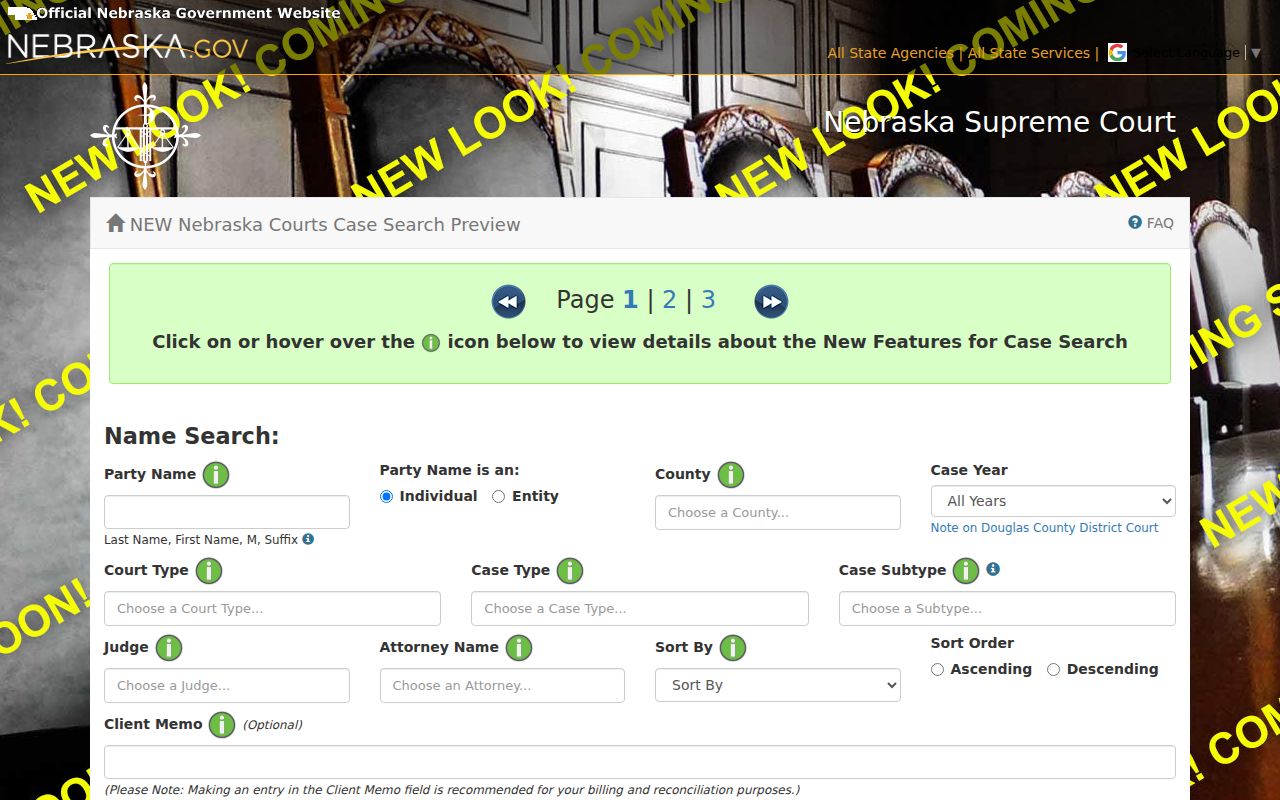
Used in sequence, those fields narrow a real court record. A Rock County searcher should never substitute a guess for an official match.
How to Search by Case Number
A case number beats a name for a Rock County lookup. It points to one court file and nothing else. Type the number exactly as the court issued it. Use the form exact court-assigned case number. Once the record opens, check that the county and court type match what you expected. Rock County numbers do not follow one safe universal prefix pattern. Do not rebuild a case number from a guessed year or case type. When a docket entry or court paper gives you the number, keep every character and all punctuation. Give it to the clerk exactly as printed.
Case-number and judgment-date searches cost $2 under the statewide service description. If your Rock County docket search returns a transfer, an appeal, or a later district-court filing, hold on to both numbers. The new court file may trace back to the original number. The later Register of Actions often holds the current procedural history.
Rock County Case Number Checks
Check a result before you rely on it. Compare the court type, filing year, case type or subtype, status, and party roles. County Court in Rock handles traffic, infractions, misdemeanors, small claims, probate, guardianship and conservatorship, county civil, ordinance, and juvenile matters. District Court is different. It takes felony, general civil, domestic-relations, and county-court appeal cases. The two clerk paths are not interchangeable. A shared county name does not change that. For a county-court number, the official Rock County Court page lists the court's contact route. District numbers go through the Rock District Court route instead. Give staff the number, the document or event you want, and the filing year. They can say whether a public copy exists. They can also tell you what comes next.
What a Case Search Shows
A returned Rock County case holds more than a single row. JUSTICE describes a case summary, party listing, criminal offense information when applicable, financial information, the Register of Actions, judge orders, and judge notes when applicable. Court-filed documents available online appear as clickable electronic images. Each field does its own job. The summary identifies the file. The Register of Actions supplies the dated event chronology.
Read the party role first. Never assume a result matches your person. When an order or document image is there, read it instead of trusting a short docket label. A filed charge is an entry, not a ruling. A hearing date is a setting. That is not a final outcome. These distinctions keep a Rock County case search tied to what the court actually recorded.
| Case summary | Identifies the court, number, type or subtype, status, and key case details. |
|---|---|
| Parties and roles | Lists parties and their procedural positions in the case. |
| Register of Actions | Chronological filing, hearing, order, and event history. |
| Financial information | May show recorded costs, fines, judgments, payments, or balances. |
| Document images | Electronic images of available filings, subject to access restrictions and image availability. |
Rock County Case Summary Images
A Rock County docket holds two kinds of answers. A case summary and a filed document image each answer a different question. The summary tells you what the case is. It also shows where the case stands. The Register of Actions shows when each entry happened. An image, when one is available, gives you the actual pleading, order, or judgment behind that entry. Most filed documents appear as clickable images. Access still depends on record type, installation date, and restrictions. The one-time instructions mark images for filings and uploads after April 16, 2008.
If the image you need is missing, write down the event date and description. Ask the right clerk for a plain or certified copy. One caution: a missing image does not mean the filing never existed. Printing an online image yourself does not make it a certified court copy.
County vs Statewide Case Search
Rock County runs its case lookup through the statewide JUSTICE service. There is no separate Rock County public docket database sitting alongside it. When the online search identifies a court and case number, the local route opens up. It is clerk assistance, a courthouse terminal, or a copy request. JUSTICE supplies the case information. The Rock County clerk structure handles records help, certified copies, and confirmation when a public result looks thin. The two layers work together rather than compete.
| Statewide JUSTICE search | Rock County clerk channel |
|---|---|
| Searches Nebraska trial-court information and can be filtered to Rock County. | Routes a request to the county-court or district-court record custodian. |
| Provides case summaries, Register of Actions, and available images. | Provides public copies, certified products, and assistance locating the right file. |
| Works for a name, case number, judgment date, or supported filters. | Needs identifying details such as case number, party name, year, type, and document. |
Rock County Case Search Costs
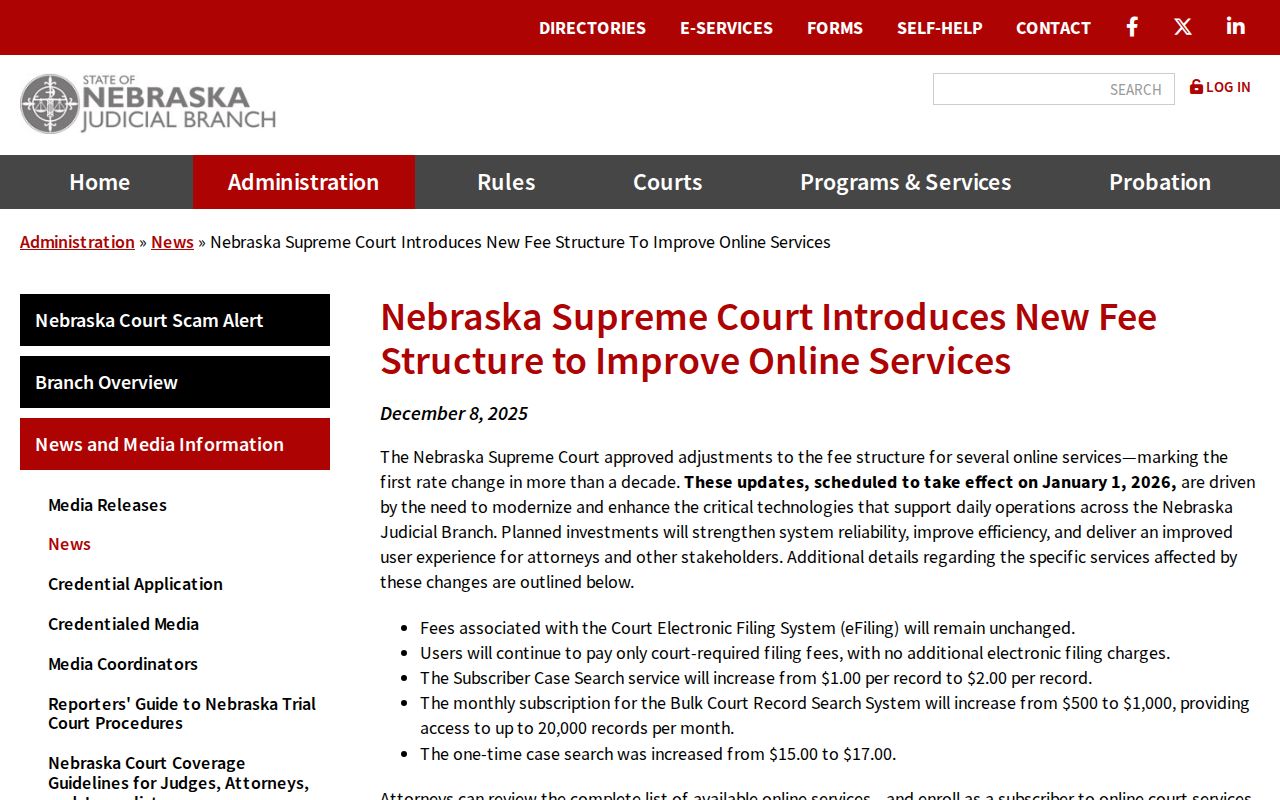
Money questions first. A one-time JUSTICE name search costs $17. It returns up to 30 records, and keeps results viewable for three calendar days. That fee applies even if the search returns nothing. Subscribers pay $100 for an annual account. General lists are free, and each case detail costs $2. None of these are clerk copy, certification, or filing fees. They are online case-information charges only. The Judicial Branch's online-services fee update lays out the revised model for public case search access.
Occasional Rock County users should also ask about free courthouse or law-library JUSTICE terminals before assuming the paid search is the only route. Confirm the type of search before paying, because a name search, a case-detail view, a clerk copy, and a certified copy are four separate products.
Restricted Cases and Access Rules
Nebraska Supreme Court public-access rules and the Nebraska Public Records Act govern what a Rock County case lookup can show. Public adult trial records may include a case summary, parties, financial information, the Register of Actions, and available images. Not every record or field is public, though. Juvenile, adoption, sealed, and other protected records can be unavailable or limited, and Rock County Court's juvenile jurisdiction does not turn juvenile information into ordinary adult case information.
Rules §§1-803 through 1-810 govern electronic access, and Rule §1-808 lists the exclusions. Neb. Rev. Stat. §84-712 sets out the general inspection and copying right, subject to exceptions. For a restricted or sealed matter, follow the clerk and court process. A blank screen is not a final legal conclusion.
Rock County Case Search No Results
A no-result Rock County case search can have several causes. Run through the basics: surname-first format, spelling, middle initial, suffix, individual versus entity, county, court type, case type, and filing year. The official one-time instructions also describe a 24-hour entry or search lag. A record may be restricted or not yet imaged. It may be old enough to fall under retention, or filed in the other court entirely.
Under the court-record search policy, clerks search by identifying information. They do not issue a certificate saying a search found no record. So skip guessing at a blank screen and get in touch instead. Contact the Rock County Clerk routing office or the court clerk. Bring the best identifying details you have. That call does far more than rereading an empty results page.
Rock County Case Search Kiosks
Courthouse JUSTICE terminals and law-library access points offer a free channel to court records. They help when JavaScript is not available. They also fit when you only need occasional access, or when a paid name search is the wrong first step. The Nebraska court-record policy recognizes the free courthouse terminal alongside one-time internet search and subscriber access. The same public-access limits apply at the terminal as anywhere else.
For help at Rock County Court, Kami Hooey is the clerk magistrate. Daunitta Buoy serves as Rock County Clerk and Clerk of District Court. When you make a request, include the court, the full party name, and the case number if you know it. Add the approximate year, the case type, and the exact document or event. With those details, the clerk can tell a simple docket lookup from a copy or certification request.
Rock County Case Search History
JUSTICE is a live case-information system, not a full historical archive. Older Rock County court records can fall under Judicial Branch retention schedules, and History Nebraska's Rock County guide documents holdings through 1982 without replacing the clerk. An older matter may still sit in the court file, be subject to retention, or need archival routing.
Hold on to what you know: case numbers, years, court names, and event descriptions. Search JUSTICE first, then ask the clerk about the record. That keeps an online docket search, the clerk's file, and the archival record in their proper places.